
Introducing the EMPHN Service Finder
Your trusted, one-stop-shop for finding and referring clients to the right mental health or social supports – quickly and reliably.
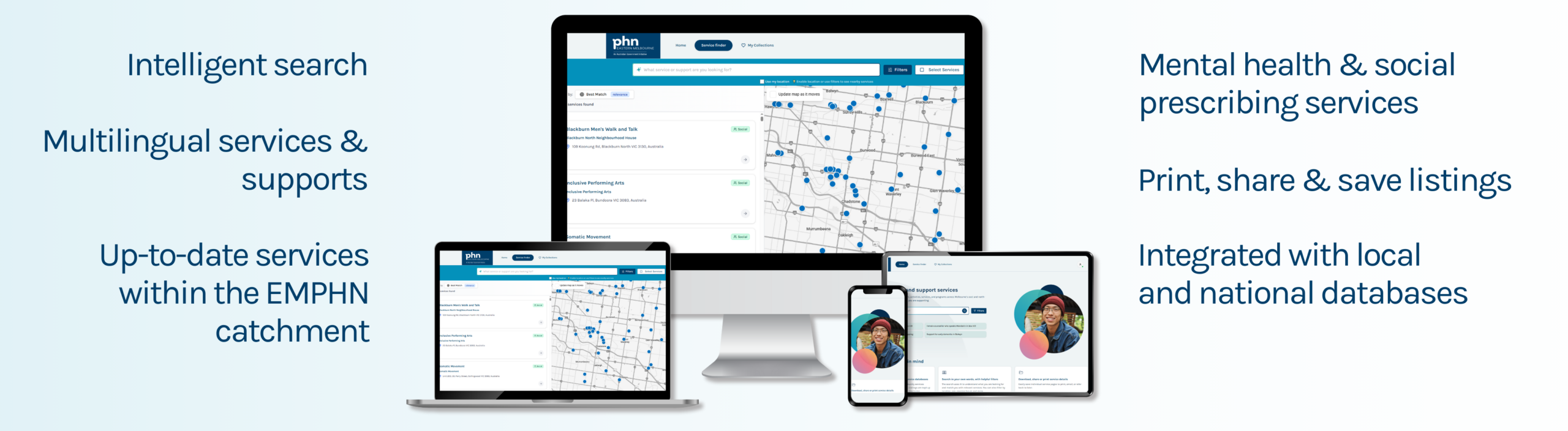
The EMPHN Service Finder is a new digital platform designed to save time and connect users to the right mental health and social support in their local area.
On this page:
Why use Service Finder?
- One-stop shop
Find, share and refer services and support for your clients, within the EMPHN catchment, in one place. - Save time
Quickly locate up-to-date service information that can be saved, printed and shared. - Trusted resource
Developed by EMPHN and Monash University, and co-designed with local health professionals and community service providers like you. - Empower your practice
Connect clients with the right services – quickly and confidently.
Key features
Access Service Finder
Start using Service Finder in 3 easy steps:
Click to print these instructions.
STEP ONE
STEP TWO
Enter your email address. Click on ”Send secure access link”.
STEP THREE
Check your email inbox. You will receive an email from EMPHN Service Finder. Click on “Access Service Finder” followed by “Verify My Email” to authenticate you.
*(It may take several minutes to receive this magic link via email. Please check your junk or spam folders. If you have not received the code, please click Resend code.)
Helpful Service Finder functions
Search for services
Click for instructions and screenshot.
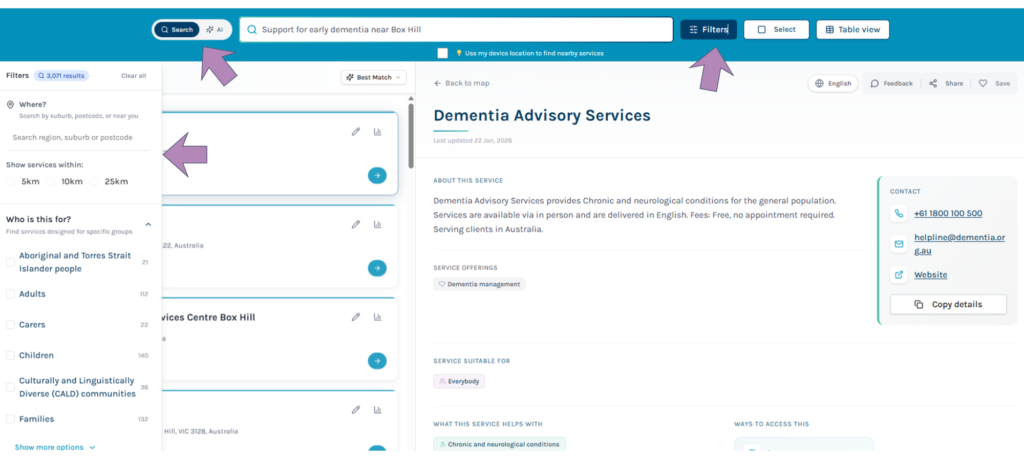
Type in the services or supports you require, for example ‘support for early dementia near Box Hill’ or click on the popular search prompts. You will be shown a list of services that are the most closely related to your search with a map showing their locations.
Use the ‘Filters’ button to further guide and refine your search. Filter by eligibility, cost, location, accessibility, cultural safety, and delivery mode.
Or try the AI search option to help find the right service for your client based on their needs. AI‑supported search improves relevance, especially for complex needs.
View service details
Click for instructions and screenshot.
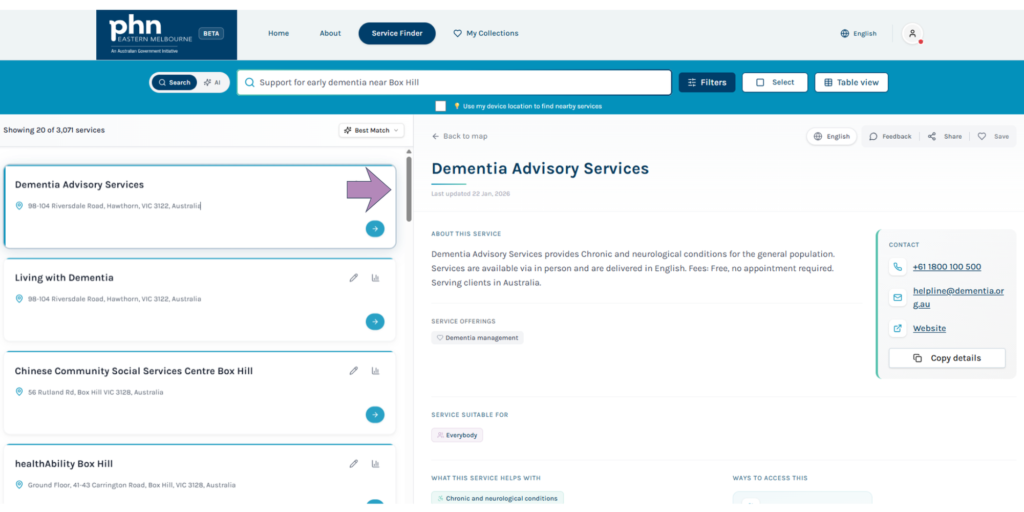
Click on a service name for more detailed information about that service, like contact details, opening hours and referral information.
Copy service details
Click for instructions and screenshot.
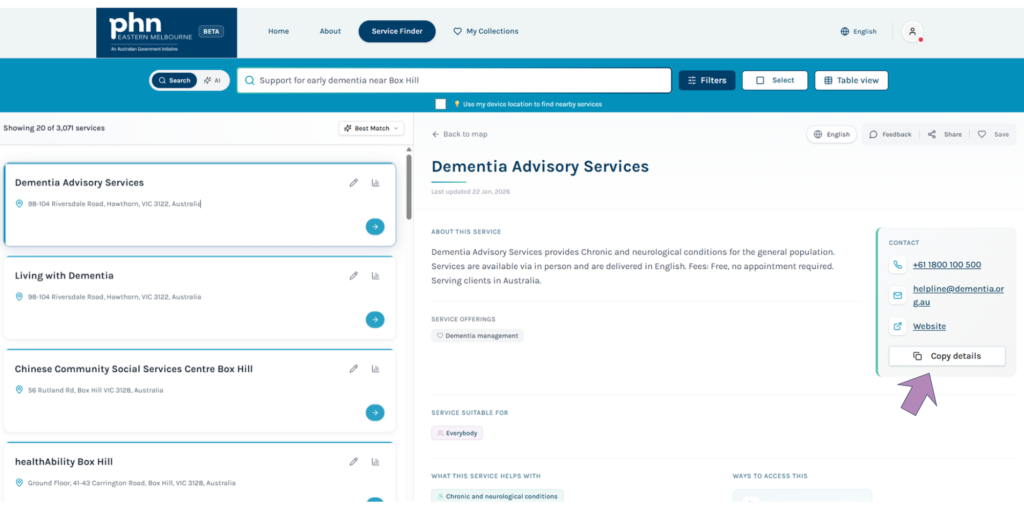
Click ‘Copy service details’ to copy service contact information to the clipboard.
Share service information with clients
Click for instructions and screenshot.
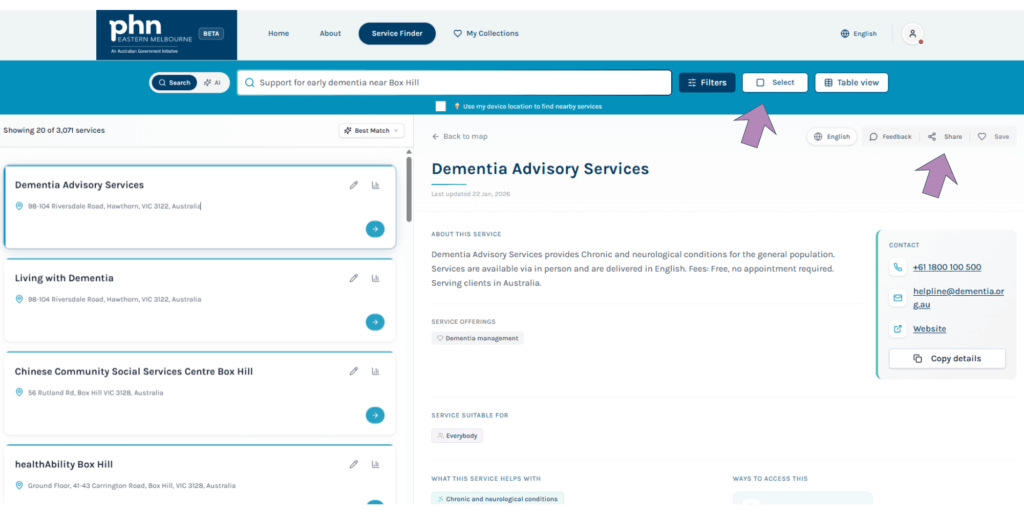
Click ‘Share’ to, print, or download a PDF of service information for your client.
Click ‘Select’ to select multiple services to share or save.
Build collections of favourite services
Click for instructions and screenshot.
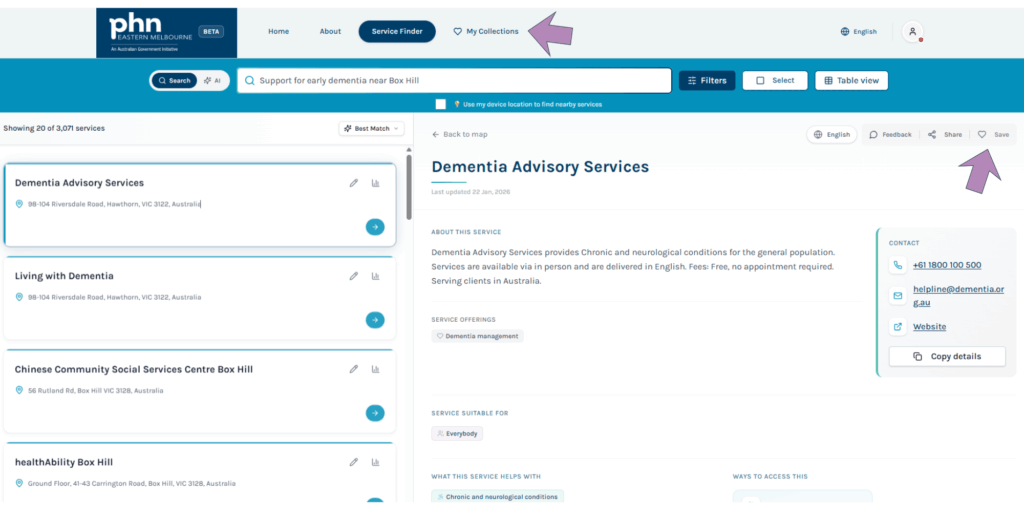
Build a collection of saved services and keep notes on each service for future reference.
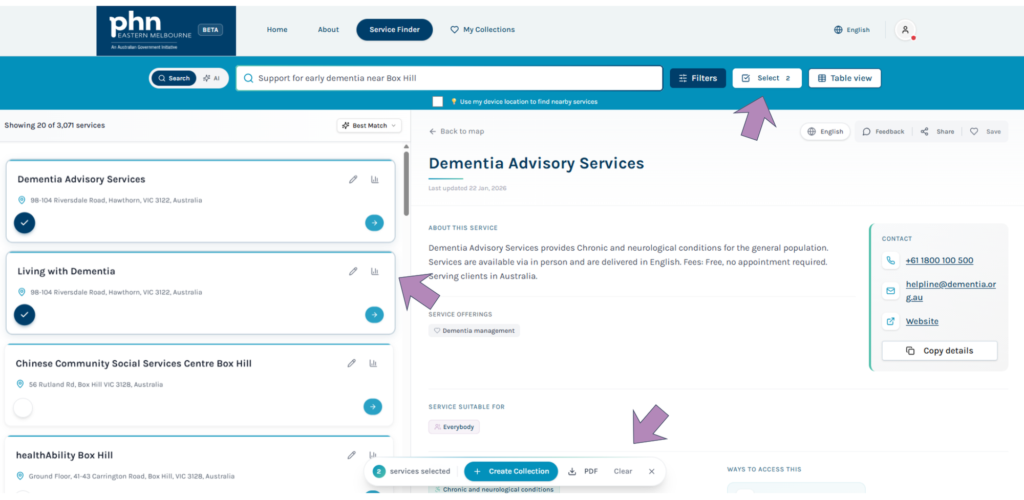
Click ‘Save’ or ‘My collections’ to start building a collection of your favourite services.
Click ‘Select’ to select multiple services to share or save.
Find ‘start here’ service listings for your clients
Click for instructions and screenshot.
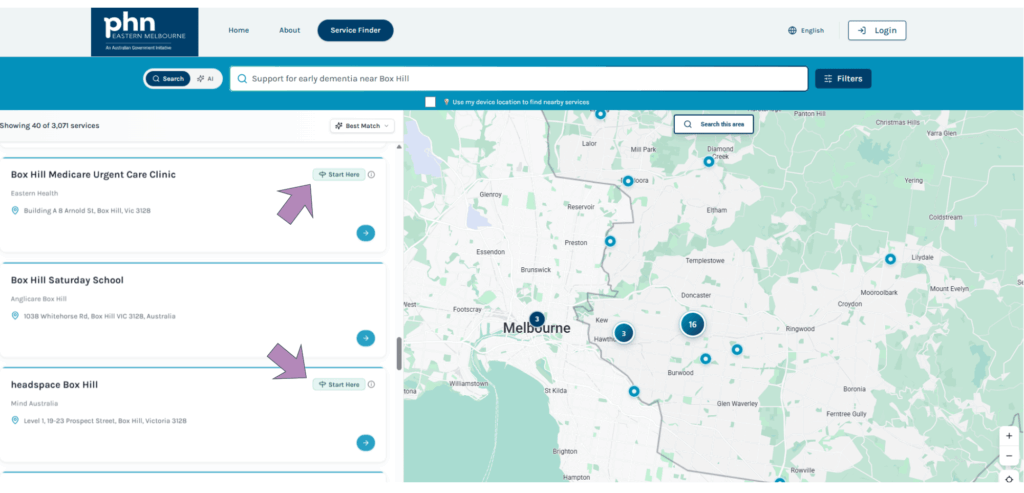
Use the ‘front door’ services to help your client access the right care faster. Look for the ‘start here’ symbol on service listings.
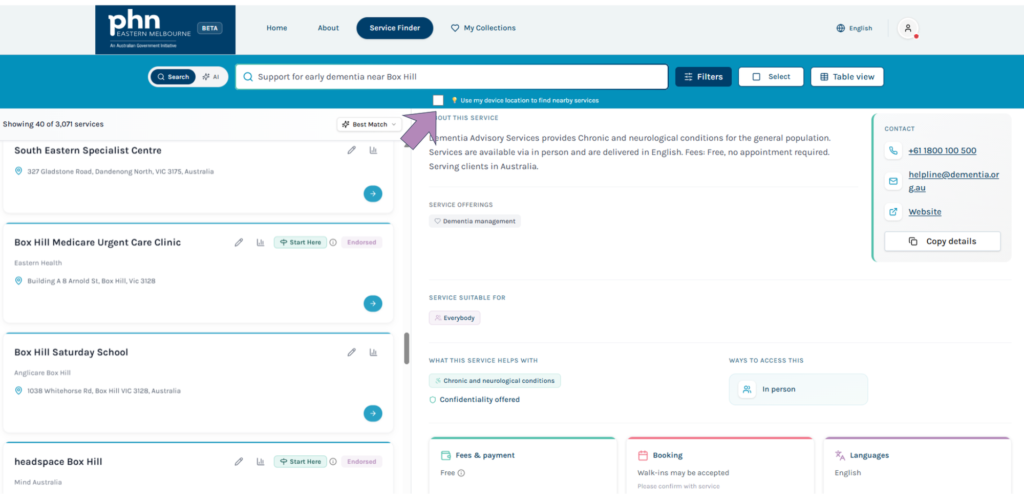
Find services near you
Click for instructions and screenshot.
Use the ‘use my device location’ option to find services near you.
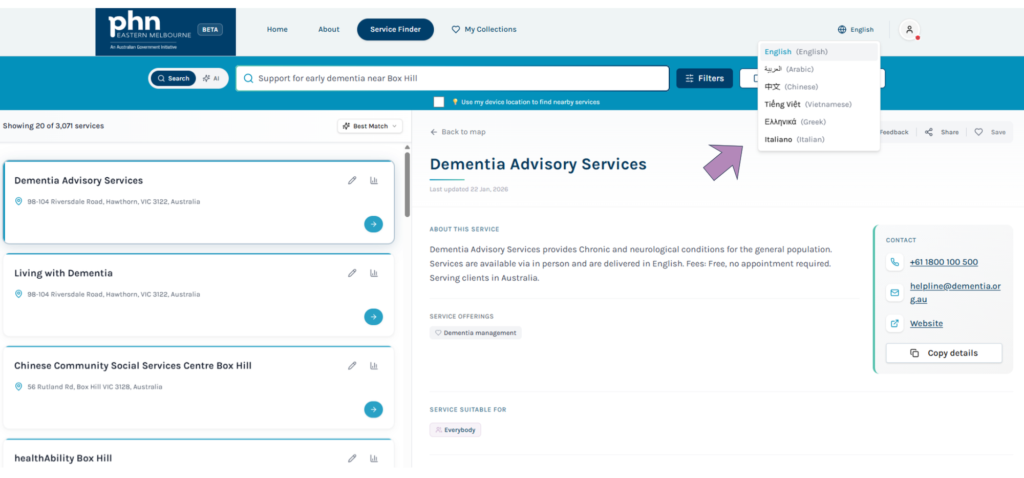
Translate content into other languages
Click for instructions and screenshot.
Translate the website and sharable PDF’s into multiple languages.
More great things to know about Service Finder
Logging in to Service Finder gives you access to its full range of features, including saving collections of services to make sharing easier and reduce time spent searching.
Once you are logged in, you won’t be asked to log in again for 14 days.
You can still access all the listings on Service Finder without logging in by visiting servicefinder.emphn.org.au.
Provide feedback
Tell us what you think. Use the feedback button on the top of any Service Finder listing to help us improve the site to better meet your needs.